How Arboreal Forest collects location data — from phone GPS to AR-precise coordinates
Knowing exactly where a tree stands is what turns a tally into something you can revisit, compare, and merge with other data sources. In this post we'll walk through the three ways Arboreal Forest captures position — the phone's built-in GNSS, Emlid Reach RX for centimeter accuracy, and AR-based local coordinates — and how you can combine them to get the best of all worlds.
1. Starting point: the phone's built-in GNSS
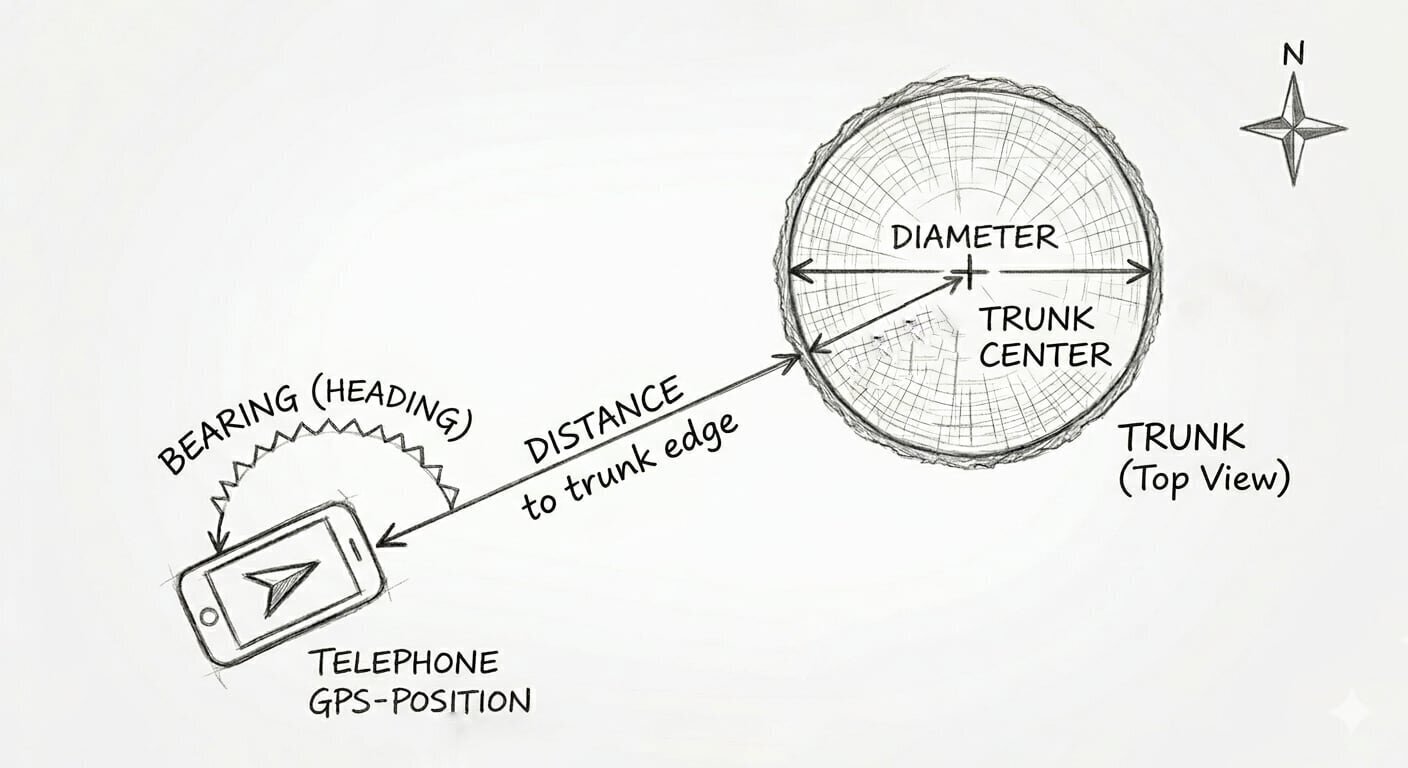
Every modern smartphone has a GNSS chip (most people call it GPS, but it actually listens to several satellite systems at once). When you measure a tree in Arboreal, the app records four numbers:
- Your position — the phone's GPS coordinate.
- The bearing — the compass heading from the phone to the tree.
- The distance — measured to the edge of the trunk.
- The diameter — measured with Arboreal's AR-based caliper.
From these four numbers we calculate the position of the center of the trunk. That's the coordinate we store for the tree.
What kind of accuracy can you expect?
Phone GNSS is typically accurate to a few meters in open terrain, and noticeably worse under dense canopy where signals get blocked or bounced. That's fine for most operational forestry — but if you want to revisit individual trees, or merge Arboreal data with high-resolution remote sensing, you'll want better.
2. Centimeter accuracy with Emlid Reach RX
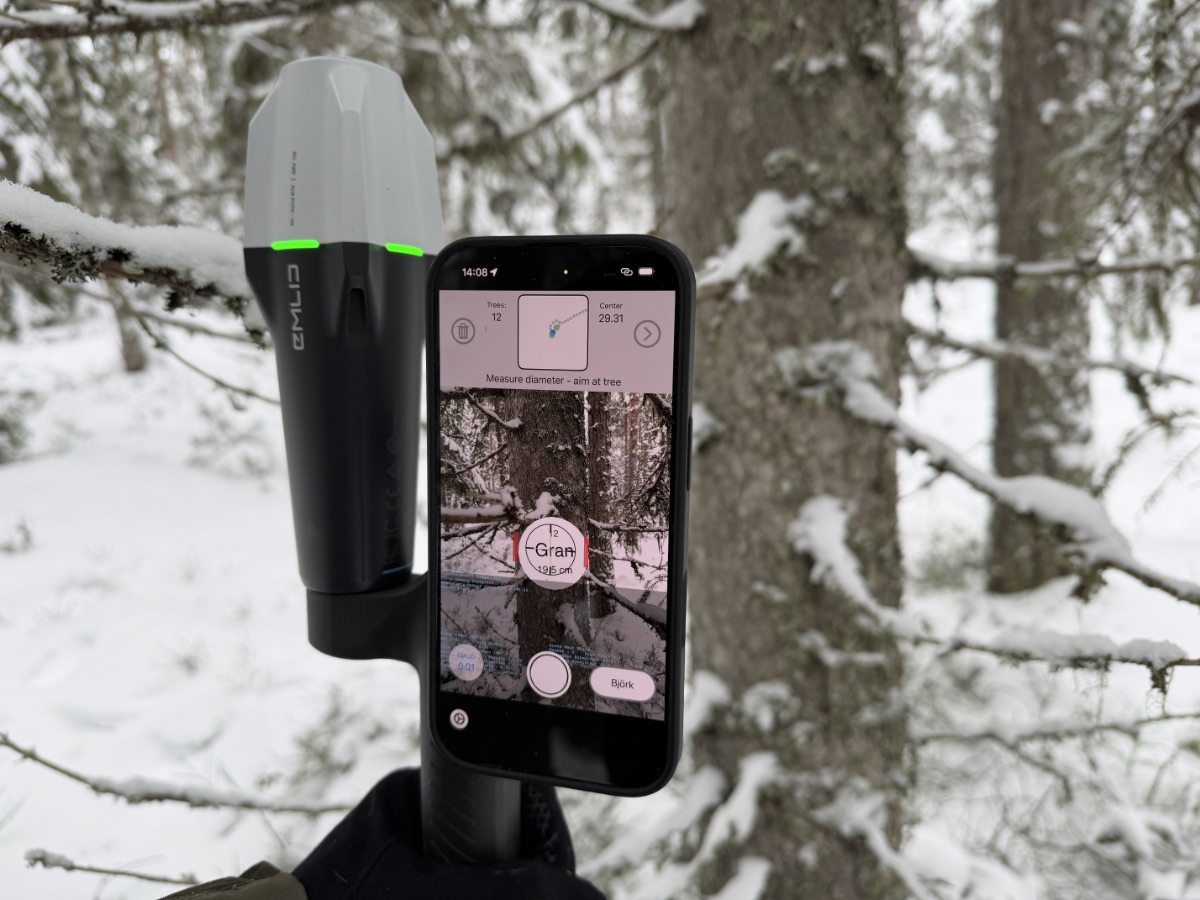
Arboreal supports Emlid Reach RX and Reach RX2 — small, pocketable RTK-GNSS receivers that connect to the phone over Bluetooth. With an RTK correction stream (NTRIP or a local base), Reach RX delivers fixed positions with 1–2 cm accuracy.
When a Reach RX is connected, Arboreal uses its coordinate as the reference position instead of the phone's built-in GPS. The geometry is exactly the same as in section 1 — bearing, distance, diameter — but the starting point is now centimeter-true, so the tree centers come out centimeter-true as well.
If you want the actual numbers from a field test, we've written up a full evaluation here: GNSS accuracy evaluation — Emlid Reach RX / RX2.
3. Local coordinates from AR — good relative accuracy
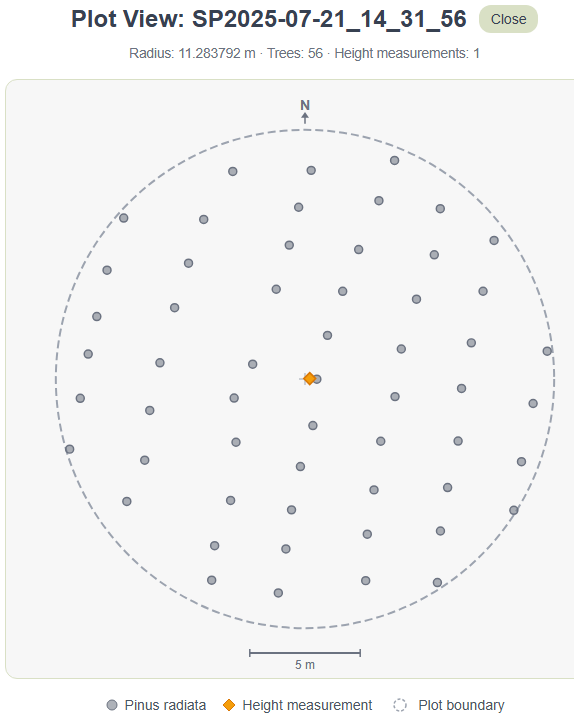
Here's where it gets interesting. In addition to the GPS position, Arboreal captures every tree in a local AR coordinate system.
Apple's ARKit uses the camera together with the phone's motion sensors to track the phone's pose in 3D space. The origin is set wherever you started the session — typically your center stick. These local coordinates are in meters, and the positions of trees relative to each other are extremely accurate — usually off by only a few centimeters, even where GPS is noisy under canopy.
By default ARKit uses a gravity- and heading-aligned world:
- X points east
- Y is altitude (up)
- –Z points north (i.e., Z points south)
So the orientation of your local system is meant to match true north, using the phone's compass.
4. When the compass is off — rotating the local coordinate system
The phone's compass isn't always trustworthy. Magnetic interference, a recently moved or shaken phone, or simply working close to metal can rotate the AR world by a few — sometimes many — degrees. When that happens, the whole plot looks slightly twisted on the map.
There are two ways to handle this in Arboreal:
- Check before you start. Before you place the center stick, look at the blue north arrow on the screen. If it isn't pointing where you know north is, tap it and rotate it until it does. The AR session then starts properly aligned.
- Fix it afterwards. If you only notice the misalignment after measuring, the rotation can be corrected in post-processing — the entire local coordinate system (and every tree position with it) is simply rotated around the center stick by the offset angle. This isn't a built-in feature in Arboreal today, but because the raw local coordinates are exported with the plot, the correction can be applied in any GIS or analysis tool of your choice.
5. From local to global — anchoring with the center stick
This step is mostly relevant when you're working with the phone's built-in GNSS. With a Reach RX, every tree already lands on a centimeter-accurate global coordinate, so there's nothing more to do. With phone GNSS, however, each per-tree GPS reading carries the phone's noise — a few meters in the open, more under canopy — and the trees can end up scattered relative to each other, even when AR knows their positions to within centimeters.
The fix is to ignore the per-tree GPS readings entirely and rebuild every tree's global position from the center stick. The center stick is the origin of the AR world, so its local coordinate is (0, y, 0). Every other tree's local (X, Z) is just an east/north offset in meters from that point. Converting those offsets into a global coordinate is something Arboreal leaves up to you — different users want different coordinate systems (WGS84, SWEREF 99 TM, UTM, a national grid…), and the right choice depends on how you intend to use the data.
A worked example — converting to WGS84 (latitude / longitude)
WGS84 is the coordinate system most GPS devices and web maps use. It expresses position as latitude and longitude in degrees. To go from local meters to degrees you need to know how many meters one degree spans at your location:
Where lat₀ is the latitude of the center stick (in radians inside cos), Δnorth is the local –Z offset in meters, and Δeast is the local X offset in meters. 111 320 m is a useful approximation for one degree of latitude on the WGS84 ellipsoid — the actual value varies by less than 1 % from equator to pole, which is fine for plot-sized distances.
Once your plot is correctly oriented (see section 4 — so that local +X really points east and local –Z really points north), the global coordinate of each tree is:
Step by step
- Read the center stick's GPS coordinate (lat₀, lon₀) from the Arboreal export.
- For each tree, take its local (X, Z) from the export.
- Convert the offsets to degrees with the formulas above (remember to convert lat₀ to radians inside cos).
- Add to (lat₀, lon₀) to get the tree's global WGS84 coordinate.
If you'd rather work in a projected system like SWEREF 99 TM or UTM, the workflow is even simpler — you can keep the offsets in meters and just add them to the projected coordinate of the center stick (no cos correction needed), then re-project to WGS84 only when you need to display on a web map.
The result is that every tree sits at the relative accuracy of AR — usually centimeters between trees — anchored by a single GPS reading at the center stick. The plot keeps its true shape, and the whole thing is offset only by the noise on that one stick reading rather than by independent noise on every tree.
Why this matters — two use cases
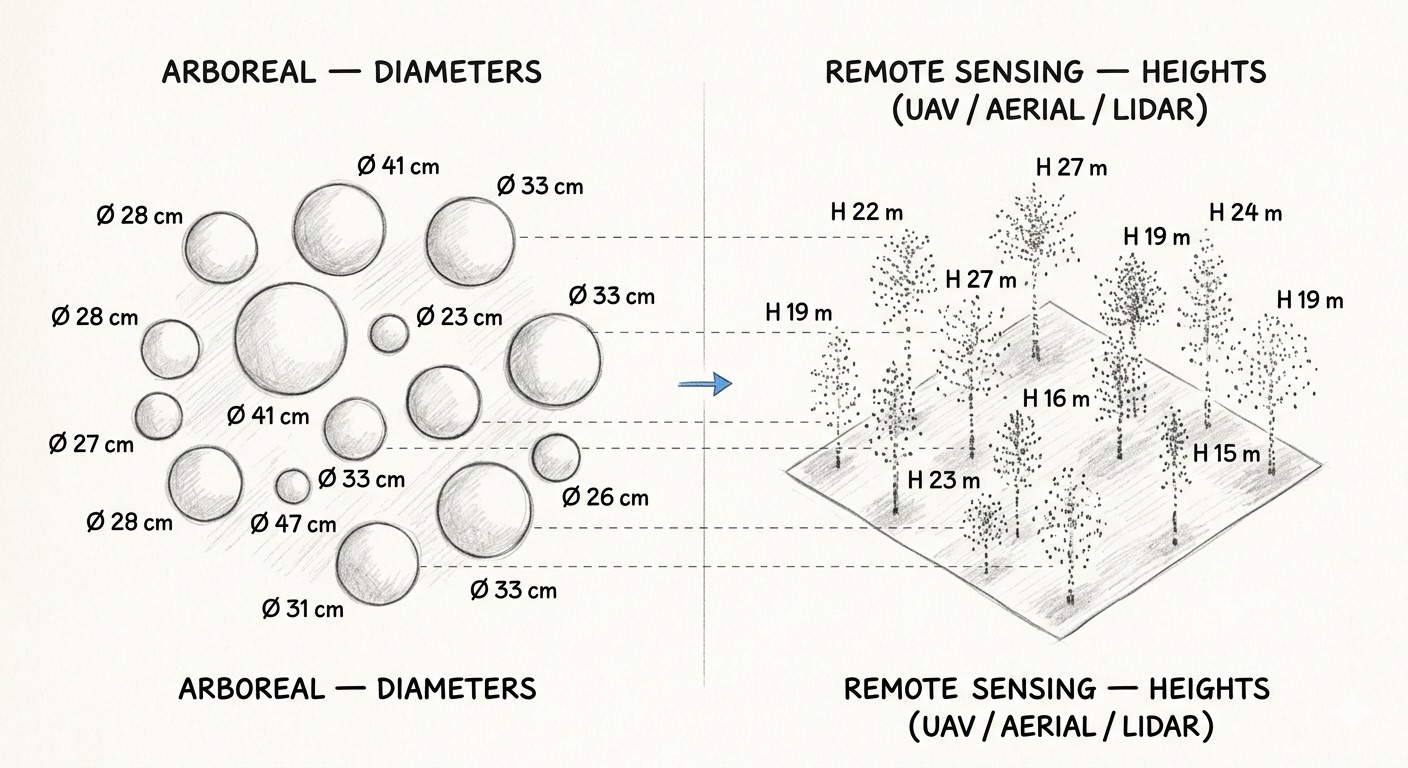
1. Matching Arboreal data with other sources. Once your trees have accurate global coordinates, you can overlay them on UAV imagery, aerial photography, or mobile LiDAR scans and match them tree-for-tree. That makes it possible to join Arboreal's measured diameters with heights from remote sensing — getting a full DBH × height pair on every individual tree, rather than plot-level averages.
2. Revisiting the same plot. If you come back next season, accurate per-tree positions let you re-identify the same individual trees. Growth, mortality, and management effects can then be tracked at the tree level — not just at the stand level.
Wrapping up
Three layers of position, working together:
- Phone GNSS — always-on, meters of accuracy, fine for most operations.
- Emlid Reach RX — centimeter accuracy when you need it.
- AR local coordinates — a few centimeters relative accuracy that you can anchor to a single GPS reading.
The combination is what makes Arboreal data easy to compare, easy to revisit, and easy to fuse with the rest of the digital forest.